Dell S3423DWC Review
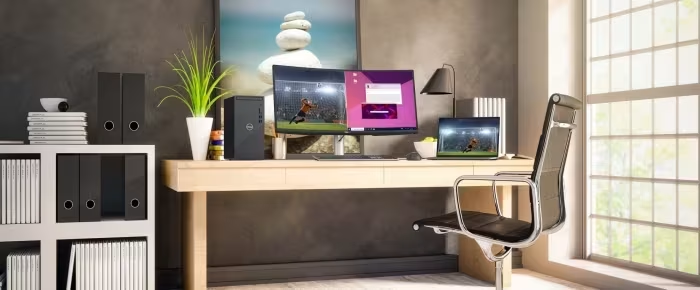
Dell S3423DWC
A versatile 34-inch curved ultrawide monitor designed to balance home-office productivity with light-duty gaming.
How This Score Is Calculated
- Sources analysed: 5 reviews
- Sentiment-only: 5 sources (weighted 1.0×)
- Split: 4 Positive · 1 Mixed · 0 Negative
- Raw weighted average: 7.8
- Formula: Σ(score × weight) ÷ Σ(weight)
- Review period: 2022
- Final score: 7.8/10 (clamped, rounded to 1 decimal)
- Most reviewed featureUSB-C/KVM (5/5)
- Most praisedProductivity utility
- Most criticised1-year warranty
- Reviewer consensus levelHigh
The Dell S3423DWC is widely regarded as a highly capable, productivity-focused ultrawide monitor that excels in multi-tasking environments. Its standout features include convenient USB-C connectivity with 65W power delivery and an integrated virtual KVM switch, making it an ideal hub for modern workstations. While reviewers note it is perfectly adequate for casual gaming, it is not recommended for high-end or competitive gaming due to its technical limitations. The primary drawbacks cited include a disappointing one-year warranty and limited ergonomic adjustability.
🔧 Key Specifications
- Display: 34-inch Curved
- Connectivity: USB-C with 65W Power Delivery
- Features: Integrated Virtual KVM Switch
💲 Price Range
Approximately 48,000 INR
📊 What Reviewers Say — Feature by Feature
3 features evaluated across 5 sources.
👍 Key Strengths
- Excellent USB-C connectivity with 65W power
- Integrated virtual KVM switch for productivity
- High contrast ratio and sRGB coverage
- Productivity-focused ultrawide screen real estate
👎 Key Weaknesses
- Short one-year warranty period
- Limited ergonomic adjustments and rotation
- Mediocre built-in speakers
- No VESA mount included in package
- Not for high-end gaming
💰 Value for Money Analysis
Reviewers describe the monitor as an affordable and cost-effective choice for multi-tasking workspaces. It is viewed as a balanced hybrid that provides great utility for the price.
2 of 5 sources commented on price or value.
🎯 Who This Product Is For
🛠️ Best Use Cases
- Home Office Productivity Excellent screen real estate and connectivity for managing multiple documents and applications. Great
- Casual Gaming Handles light-duty gaming effectively, though not designed for high-performance needs. Good
- Multi-Device Workspaces Integrated virtual KVM makes switching between devices seamless. Great
🔀 Alternatives Mentioned by Reviewers
Reviewers suggest considering dedicated monitors if your needs are strictly limited to one category.
- Dedicated Productivity Monitors — Reviewers note that if you require specialized ergonomic features or specific color-critical work, dedicated productivity displays may outperform this hybrid model.
- Dedicated Gaming Monitors — For users focused solely on gaming, reviewers suggest opting for dedicated gaming displays which offer superior refresh rates and response times compared to this balanced hybrid.
Alternatives sourced exclusively from reviewer mentions.
🛒 Buyer's Guide
✅ Buy This If…
- You need a productivity hub with built-in KVM and USB-C.
- You want a well-rounded ultrawide for both home office and light gaming.
- You prioritize screen real estate and image sharpness for daily tasks.
❌ Skip This If…
- You are a competitive gamer requiring high-end gaming specs.
- You need extensive ergonomic adjustments or vertical rotation.
- You require a warranty longer than one year.
⚠️ Things to Check Before Buying
- Be aware that no VESA mount is included in the box.
- Consider the short one-year warranty when evaluating long-term value.
The Dell S3423DWC is an excellent, versatile choice for users who need a balanced display for both work and casual entertainment. Its integration of a virtual KVM switch and 65W USB-C charging makes it a standout for productivity-focused home offices. While it lacks the specialized features needed for high-end gaming and comes with a short warranty, its overall utility and value make it a compelling purchase for most users. It is a solid, well-rounded performer that effectively straddles the line between office and leisure.

Reviewer Perspectives & Source Breakdown
Dell 34 Curved USB-C Monitor (S3423DWC) Review | PCMag - pcmag.com...
Price: Approximately 48,000 INR
The Dell 34 Curved USB-C Monitor is a versatile choice that performs well for both home-office productivity and light-duty gaming. While dedicated monitors for either purpose may excel in specific areas, this display offers a well-rounded experience for users needing both.
Pros
- Ultrawide curved screen
- Very high contrast ratio
- Full sRGB color coverage
- Virtual KVM switch
- USB-C port supports 65W power delivery
Cons
- Skimpy one-year warranty
Dell 34 Curved USB-C Monitor (S3423DWC) - Review 2022 - PCMag UK - uk.pc...
The Dell 34 Curved USB-C Monitor is a versatile choice that balances productivity and light gaming. While dedicated monitors for either task exist, it performs well as a dual-use display.
Pros
- Ultrawide curved screen
- Excellent contrast ratio
- High sRGB color coverage
- Integrated virtual KVM switch
- 65W USB-C power delivery
Cons
- Short one-year warranty
- Limited ergonomic adjustments
- No VESA mount included
Dell 34 Curved USB-C Monitor (S3423DWC) Review: Immersing you in work or...
The Dell 34 Curved USB-C Monitor is an excellent, productivity-focused display that offers great utility through its KVM switch and USB-C connectivity. While it falls short for high-end gaming, it is a versatile and cost-effective choice for multi-tasking workspaces.
Pros
- Useful USB-C connectivity and integrated KVM switch.
- Excellent productivity screen real estate and sharp image quality.
- Affordable pricing with sleek, minimalist design.
Cons
- Mediocre built-in speakers and lack of joystick controls.
- Not suitable for high-end or console gaming.
- Limited vertical rotation due to curved design.
Dell 34 Curved USB-C Monitor (S3423DWC) - Review 2022 - PCMag Australia ...
The Dell S3423DWC is a versatile ultrawide monitor that effectively balances home-office productivity with light-duty gaming. While specialized monitors may outperform it in single-use scenarios, this display is a strong, well-rounded performer for mixed environments.
Pros
- Ultrawide curved screen with high contrast ratio
- Excellent sRGB color coverage
- Convenient USB-C connectivity with power delivery
- Integrated virtual KVM switch
Cons
- Short one-year warranty
Dell S3423DWC Review | A 34-inch Curved USB-C Monitor - pcvarge.com...
The Dell S3423DWC is a versatile 34-inch curved monitor that excels as a productivity hub for multitasking and office use. While it handles casual gaming well, it lacks the high-end specifications required by competitive gamers.
Pros
- Striking curved display design
- Beautiful picture quality
Cons
- No true HDR support