malwarebytes for mac Review
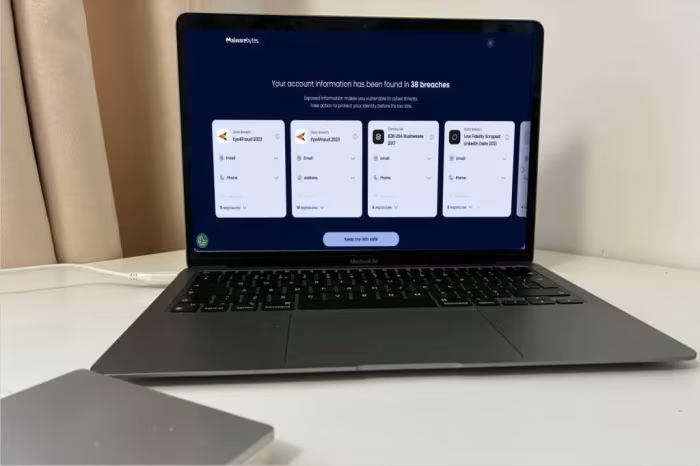
Malwarebytes for Mac
A lightweight, user-friendly security utility focused on fast malware detection, though lacking independent third-party verification and advanced suite features.
How This Score Is Calculated
- Sources analysed: 10 reviews
- Explicit scores: 0 sources
- Sentiment-only: 10 sources (weighted 1.0×)
- Split: 4 Positive · 3 Mixed · 3 Negative
- Raw weighted average: 6.2
- Formula: Σ(score × weight) ÷ Σ(weight)
- Final score: 6.2/10 (clamped, rounded to 1 decimal)
Algorithmically calculated from source data. No manual adjustments.
- Most reviewed featureMalware Detection (10/10)
- Most praisedScanning Speed
- Most criticisedLack of Lab Testing
- Reviewer consensus levelModerate
- Value for moneyFair Value (5.8/10)
Malwarebytes for Mac is widely praised for its fast scanning speeds, lightweight system footprint, and user-friendly interface. However, it faces significant criticism for its lack of independent third-party lab testing and the absence of advanced features like firewalls or parental controls found in rival suites. It is best suited for users seeking straightforward, no-frills malware protection rather than a comprehensive security suite.
🔧 Key Specifications
Specifications sourced from reviewer mentions. Verify with manufacturer for complete details.
- OS: macOS
- Core Protection: Real-time malware, adware, and PUP detection
- VPN: Malwarebytes Privacy (Optional/Add-on)
- Scanning: Fast system and external drive scanning
- Features: Killswitch (VPN), Browser Guard (inconsistent)
- Device Limit: 5 (VPN)
💲 Price Range
Approximately ₹2,500 to ₹10,000 per year
Prices sourced from reviews. Check current retailer pricing.
📊 What Reviewers Say — Feature by Feature
6 features evaluated across 10 sources.
👍 Key Strengths
- Fast, lightweight malware scanning
- Simple, user-friendly interface
- Good phishing protection
- Reliable real-time protection
👎 Key Weaknesses
- No independent lab testing
- Lacks firewall and parental controls
- VPN geoblocking is inconsistent
- Limited feature set for price
💰 Value for Money Analysis
Reviewers are divided on pricing. While some appreciate the lack of renewal fee hikes, others feel the cost is high given the missing features compared to Windows versions or rival suites. It is considered a decent value only when bundled with the anti-malware suite.
10 of 10 sources commented on price or value.
⚡ Where Reviewers Disagreed
The following areas saw meaningful disagreement across sources.
- Value Proposition: 4 sources suggest it is a solid value for basic users, while 6 sources argue it is overpriced due to missing features and lack of lab testing.
🎯 Who This Product Is For
Reviewer recommendations for different target audiences and use cases.
🛠️ Best Use Cases
- Malware RemovalExcellent for quick, one-off scans to identify adware and PUPs.Great
- General System ProtectionDecent for real-time monitoring, but lacks the depth of full suites.OK
🔀 Alternatives Mentioned by Reviewers
- Norton 360 — A top-tier competitor that features perfect scores from independent testing labs and includes a comprehensive suite of security tools. Choose this if you prioritize verified efficacy over simplicity.
- Bitdefender — Highly regarded for its perfect lab testing scores and inclusion of advanced utilities like password managers. Recommended as a superior choice for users requiring audited security.
- NordVPN — A market leader in the VPN space that offers better geoblocking consistency and a larger server network than Malwarebytes Privacy. Choose this for dedicated privacy needs.
- Sophos — Noted as a more affordable alternative for Mac security. Consider this if you are looking for lower pricing than Malwarebytes.
- Intego — A comprehensive Mac-focused security suite. Note that it is generally more expensive than Malwarebytes but offers deeper integration and features.
- Private Internet Access (PIA) — A more mature and feature-rich VPN alternative compared to the Malwarebytes offering.
- Kaspersky & Avast — Competitors cited for offering better comprehensive features like parental controls and email monitoring.
Alternatives sourced exclusively from reviewer mentions.
🛒 Buyer's Guide
✅ Buy This If…
- You prioritize fast, lightweight scanning performance.
- You are a casual user seeking simple, no-frills protection.
- You want a 14-day trial to test the software on your machine first.
❌ Skip This If…
- You require independent, lab-verified antivirus efficacy.
- You need a comprehensive suite including firewall and parental controls.
- You are looking for a robust, feature-complete VPN service.
⚠️ Things to Check Before Buying
- Check for installer extension errors mentioned in some reviews.
- Be aware that the Mac version lacks several advanced features found in the Windows version.
- Confirm if your specific macOS version is fully supported, as some legacy issues were reported.
📈 Sentiment Trends Over Time
Reviews span 2025. The following changes were detected:
- Third-party testing — The product consistently lacks independent verification, which remains a primary criticism across all 2025 reviews.
Malwarebytes for Mac is a reliable, lightweight utility that excels at quick scans but fails to keep pace with industry-leading suites regarding features and verified protection. While it is user-friendly and effective for basic malware removal, the absence of independent lab testing and critical tools like firewalls is a significant drawback. We recommend looking at alternatives if you require a high-assurance security suite.
Top Alternative: Bitdefender — Offers superior, lab-verified protection and a more comprehensive set of security utilities.
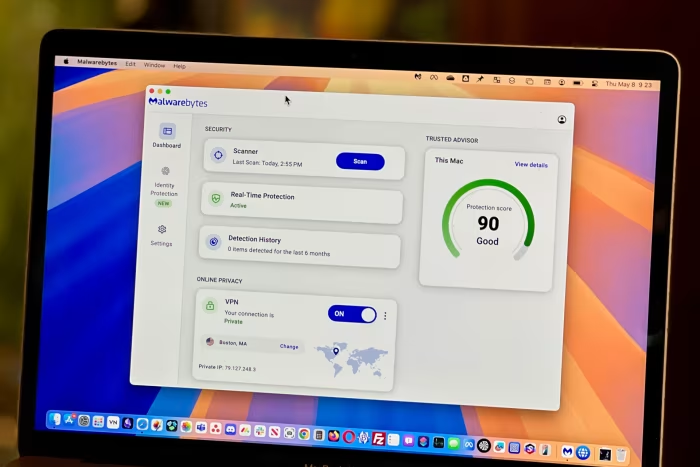
Reviewer Perspectives & Source Breakdown
malwarebytes for mac 2025 review an antivirus and privacy upgrade ProsCo...
“Malwarebytes offers low prices on good, basic antivirus software but lacks independent tests to verify effectiveness.”
Pros
- Good free antivirus scanner
- Low-cost real-time protection plans
- Quick and friendly support
- Easy setup
- 14-day trial
Cons
- VPN costs extra
- Installer extension error
- Lacks third-party testing
Page 2 of 2