VMware Workstation Review
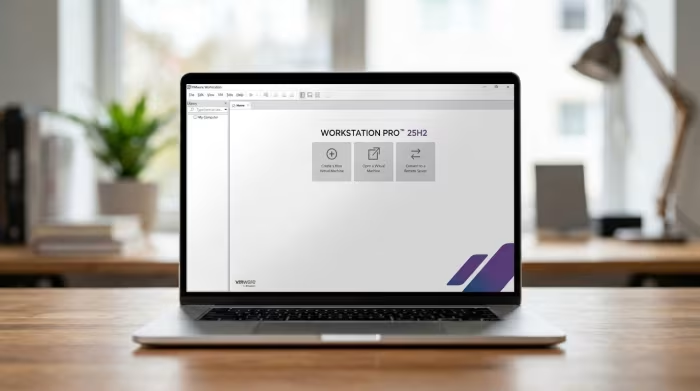
VMware Workstation
The industry-standard Type 2 hypervisor for developers and IT professionals, now free for personal use.
How This Score Is Calculated
- Sources analysed: 11 reviews
- Explicit scores: 0 (Sentiment-based weighting applied)
- Sentiment-only: 11 sources (weighted 1.0×)
- Split: 9 Positive · 1 Mixed · 1 Negative
- Raw weighted average: 8.4
- Formula: Σ(score × weight) ÷ Σ(weight)
- Review period: 2015–2024
- Final score: 8.4/10
Algorithmically calculated from source data. No manual adjustments.
- Most reviewed featurePerformance (8/11)
- Most praisedFeature Set
- Most criticisedComplexity
- Reviewer consensus levelHigh
VMware Workstation remains the gold standard for desktop virtualization, offering unmatched stability and professional-grade features now available for free to personal users. While it is resource-intensive and carries a steeper learning curve than basic tools, its ability to handle complex networking, snapshots, and massive VMs makes it indispensable. It is the premier choice for developers and testers who require robust, reliable performance on x86 hardware.
🔧 Key Specifications
Specifications sourced from reviewer mentions. Verify with manufacturer for complete details.
- Hypervisor Type: Type 2
- Automation: RESTful API, dictTool
- Display Support: 4K Resolution, DPI scaling
- USB Support: USB 3.2
- OS Support: Windows/Linux Guests
- Networking: Configurable per-VM, network simulation
- Management: Snapshot management, cloning, vSphere integration
💲 Price Range
Free (Personal Use) / Commercial Licensing
- Historical Retail: approx. ₹16,500 - ₹21,000 ($250)
Prices sourced from reviews. Check current Broadcom/VMware pricing.
📊 What Reviewers Say — Feature by Feature
7 features evaluated across 11 sources.
👍 Key Strengths
- Industry-leading stability and performance
- Professional snapshot and cloning tools
- Now free for personal use
- Excellent network simulation capabilities
- Seamless vSphere integration
👎 Key Weaknesses
- High system resource requirements
- Steep learning curve for beginners
- Non-functional in-app update mechanism
- Complex initial download/Broadcom account requirements
- Limited documentation for advanced features
💰 Value for Money Analysis
The recent transition to a free-for-personal-use model has transformed VMware Workstation into an exceptional value proposition. Reviewers note that the free tier retains full functionality, making it vastly superior to competing open-source tools.
6 of 11 sources commented on price or value.
⚡ Where Reviewers Disagreed
The following areas saw meaningful disagreement across sources.
- Ease of Update/Installation: 2 sources praised the straightforward installation, while 3 sources criticised the non-functional in-app update mechanism and convoluted Broadcom download process.
🎯 Who This Product Is For
Reviewer recommendations for different target audiences and use cases.
🛠️ Best Use Cases
- Network SimulationBuilt-in tools allow for injecting latency and packet loss to test software resilience.Great
- LLM TestingCapable of running small LLMs on x86 hardware with significant speed advantages over ARM platforms.Great
- OS SandboxingPerfect for testing Windows 11 or Linux distributions in a safe, isolated environment.Great
🔀 Alternatives Mentioned by Reviewers
Maximise this list. Include EVERY single competitor, rival, or alternative product mentioned in any of the source reviews.
- Oracle VM VirtualBox — A common open-source alternative. Reviewers note it is less performant and stable than VMware Workstation but often easier to set up for basic tasks.
- VMware ESXi — A bare-metal hypervisor. While more native for server management and auto-restart features, it lacks the desktop-integrated convenience of Workstation Pro.
- Raspberry Pi 5 (ARM) — Mentioned as a comparison for LLM performance; VMware Workstation on x86 hardware is 10x to 90x faster for these specific workloads.
Alternatives sourced exclusively from reviewer mentions.
🛒 Buyer's Guide
✅ Buy This If…
- You are a developer or IT pro needing professional snapshot and cloning tools.
- You require high-performance, stable virtualization on x86 hardware.
- You are seeking a powerful, cost-free solution for personal virtualization.
❌ Skip This If…
- You have minimal system resources (RAM/CPU) for heavy guest OS loads.
- You are a casual user looking for a simple, "plug-and-play" interface.
- You require ARM-based virtualization support.
⚠️ Things to Check Before Buying
- Ensure your host hardware supports TPM if you intend to run Windows 11 as a guest.
- Be prepared for a potentially difficult download process via the Broadcom portal.
- Note that in-app updates may require manual intervention.
📈 Sentiment Trends Over Time
Reviews span 2015–2024. The following changes were detected:
- Cost/Accessibility — Shifted from an expensive retail product to a free-for-personal-use model, significantly increasing its value score.
- Performance — Remains the industry benchmark for stability and hardware efficiency throughout all version updates.
VMware Workstation is the definitive choice for power users, developers, and IT professionals who demand the best in virtualization performance. With its transition to a free personal model, it has eliminated the primary barrier to entry, making its superior snapshot, cloning, and networking tools accessible to everyone. While it remains a resource-hungry application that is not ideal for absolute beginners, it is functionally unmatched in the Type 2 hypervisor space. If you have the hardware to support it, this is the gold standard.
PLG_CONTENT_IMAGEGALLERY_ERROR_NO_IMAGES
Reviewer Perspectives & Source Breakdown
Review: VMware Workstation 12 gets a shine for Windows 10 | InfoWorld - ...
Price: approx. ₹16,500 ($250)
VMware Workstation 12 is a polished and feature-rich virtualization tool, though it offers only incremental updates over previous versions. It is an excellent choice for users needing professional-grade performance, provided the high price is justified for their specific needs.
Pros
- Official support for Windows 10 host and guest
- Expanded Linux distribution support
- Improved 4K monitor and DPI scaling support
- Handy UI refinements like tearable tabs
Cons
- Expensive retail price
- Updates feel like a minor service pack
- Limited new features for existing users
Review: VMware Workstation 15 Pro Impresses by Running Multiple, Powerfu...
VMware Workstation 15 Pro remains the industry gold standard for virtualization, offering robust support for massive virtual machines and seamless vSphere integration. Despite a minor documented mouse-click issue with third-party software, it provides comprehensive tools for IT professionals.
Pros
- Supports massive virtual machines with 16 vCPUs
- Enhanced RESTful API for virtual machine automation
- Seamless integration and management for vSphere 6.7
- Support for high 4K resolution displays
Cons
- Mouse-clicking conflict with certain third-party software
Injecting Network Issues Using VMware Workstation -- Virtualization Revi...
Price: Approximately 21,000 INR
VMware Workstation 17 Pro is a powerful, user-friendly hypervisor that offers excellent value for developers and IT professionals. It provides robust tools for simulating complex network conditions effectively.
Pros
- Powerful built-in network simulation tools
- Easy to configure per-VM network settings
- Highly cost-effective for virtualization needs
- Runs demanding workloads efficiently
Cons
- Often overshadowed by VMware ESXi
- Does not always receive enough attention
Running VMware Workstation on a Low-Cost Mini PC -- Virtualization Revie...
The ACEMAGIC AD15 Mini PC demonstrates high performance with VMware Workstation, maintaining virtual machine efficiency within 5% of physical hardware speeds.
Pros
- High performance 8-core/16-thread processor
- Efficiently runs virtual machines
- Minimal overhead for a type-2 hypervisor
Cons
Installing and Running VMware Workstation 17 Pro on a NUC 13 Pro Desk Ed...
Price: Approximately ₹16,700
VMware Workstation 17 Pro is an efficient and user-friendly type 2 hypervisor that performs well on powerful hardware like the NUC 13 Pro. It is an excellent tool for developers and testers needing to run multiple operating systems concurrently.
Pros
- Quick and straightforward installation process
- Provides professional features like snapshots and cloning
- Effective integration with guest operating systems
- Ideal for testing and development environments
Cons
- Performance overhead compared to native bare metal
- Requires significant hardware resources for optimal operation
Installing and Running VMware Workstation 17 on a Mini-PC -- Virtualizat...
VMware Workstation 17 provides robust tools for managing virtual machine resources, including memory and CPU overcommitment, though users should be mindful of performance trade-offs. The software offers flexible networking configurations suitable for various deployment needs.
Pros
- Supports transparent memory page sharing
- Effective memory management via ballooning
- Flexible virtual networking options available
- Capable of significant resource overcommitment
Cons
- Overcommitting can cause system performance degradation
- Limited documentation on modern CPU overcommitment
- Host-level swapping significantly hurts VM performance
How to Autostart VMware Workstation VMs -- Virtualization Review - virtu...
VMware Workstation Pro 17 includes a useful but slightly quirky Autostart feature for VMs. While it reliably restores virtual machines after host reboots, it requires specific configuration and lacks a built-in startup delay.
Pros
- Allows automatic VM startup after host reboots
- Configurable startup order for virtual machines
- Useful for lab and testing environments
Cons
- Only works for VMs in the root folder
- Requires manual background service configuration
- GUI interaction issues occur after auto-starting
- Lacks native startup delay settings
Using VMware's Free Desktop Hypervisor, Workstation Pro -- Virtualizatio...
Price: Free
The free-for-personal-use version of VMware Workstation Pro retains the full functionality of its commercial counterpart, making it an excellent and accessible tool for virtualization enthusiasts.
Pros
- Free for personal use
- Maintains full functionality of the paid version
- Intuitive virtual machine creation wizard
- Comprehensive snapshot management features
- Supports multiple networking configurations
Cons
- Linked clones limited by encryption requirements
- Requires TPM for Windows 11 guest OS
Running AI on VMware Workstation -- Virtualization Review - virtualizati...
Price: Free
VMware Workstation Pro 25H2 provides a capable environment for running small LLMs on x86 hardware, significantly outperforming ARM-based platforms like the Raspberry Pi 5.
Pros
- Totally free Type 2 hypervisor
- Runs smoothly on standard laptop hardware
- Consistent performance across multiple test runs
Cons
Page 1 of 2