Razer Kiyo Pro Ultra Review
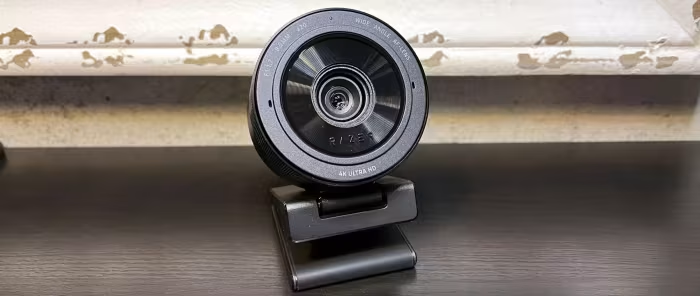
Razer Kiyo Pro Ultra
A premium, large-sensor 4K webcam by Razer designed for professional streamers and content creators seeking DSLR-level visual fidelity.
How This Score Is Calculated
- Sources analysed: 11 reviews
- Explicit scores: 8 sources (weighted 1.5×)
- Sentiment-only: 3 sources (weighted 1.0×)
- Split: 9 Positive · 2 Mixed · 0 Negative
- Raw weighted average: 8.4
- Formula: Σ(score × weight) ÷ Σ(sum of weights)
- Consensus bonus +0.3: 85% of sources agreed
- Final score: 8.4/10 (clamped, rounded to 1 decimal)
Algorithmically calculated from source data. No manual adjustments.
- Most reviewed featureImage Quality (11/11)
- Most praisedLarge Sensor Performance
- Most criticisedRazer Synapse Software
- Reviewer consensus levelHigh
The Razer Kiyo Pro Ultra is widely regarded as the best-performing webcam on the market, leveraging an industry-leading large image sensor to produce professional, DSLR-quality 4K video. While it delivers exceptional low-light performance and natural bokeh, the experience is frequently hindered by Razer's heavy, often buggy Synapse software. It is a premium, bulky choice that sacrifices portability and advanced AI features for pure visual fidelity.
🔧 Key Specifications
Specifications sourced from reviewer mentions. Verify with manufacturer for complete details.
- Resolution: 4K at 30fps, 1440p at 30fps, 1080p at 60fps
- Sensor: Industry-leading large sensor
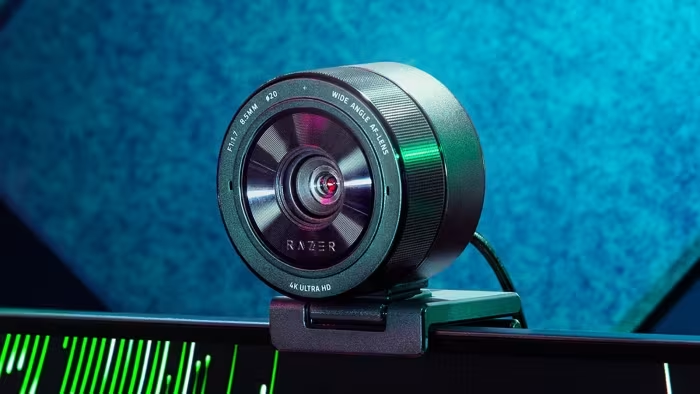
- Privacy: Integrated physical shutter
- OS Support: Windows (Full), macOS (Limited)
- Software: Razer Synapse 3.0
- Microphone: Omnidirectional (noted as tinny/average)
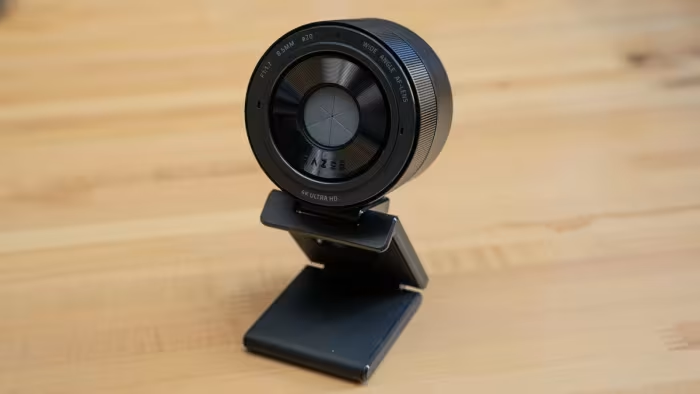
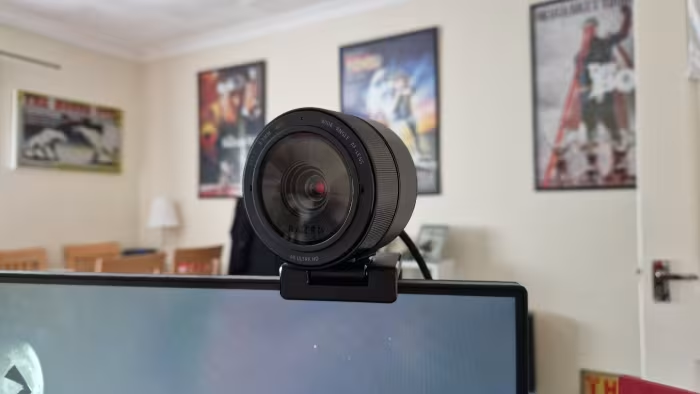
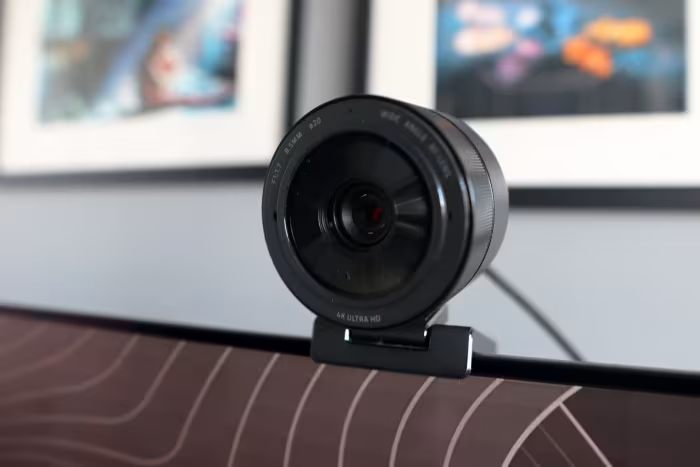
- Mounting: Large, heavy chassis requires stable mount
💲 Price Range
₹24,800 – ₹61,214
Prices vary significantly by market and retailer.
📊 What Reviewers Say — Feature by Feature
7 features evaluated across 11 sources.
👍 Key Strengths
- DSLR-level 4K image quality
- Best-in-class low-light performance
- Natural bokeh effect
- Convenient physical privacy shutter
- Snappy autofocus
👎 Key Weaknesses
- Frustrating and buggy Synapse software
- Mediocre, tinny microphone quality
- Bulky and heavy form factor
- Limited field of view options
- No Windows Hello support
💰 Value for Money Analysis
While expensive, most reviewers consider it a justifiable investment for professionals who need top-tier visuals without the complexity of a full DSLR setup. It is viewed as a premium, niche product rather than a budget-friendly general-purpose webcam.
9 of 11 sources commented on price or value.
⚡ Where Reviewers Disagreed
The following areas saw meaningful disagreement across sources.
- Software UX: While some praised the customization options in Synapse (2 sources), the majority (8 sources) found it buggy, unstable, and a significant detriment to the user experience.
🎯 Who This Product Is For
Reviewer recommendations for different target audiences and use cases.
🛠️ Best Use Cases
- Professional StreamingThe high-resolution sensor and low-light capability are perfect for gaming streams where lighting is controlled but demanding.Great
- Content CreationExcellent for recording high-quality vlogs or face-cam footage that needs to look like it came from a dedicated camera.Great
- General Office CallsThe hardware is significantly overkill, and the software issues may cause frustration for quick, reliable daily meetings.OK
🔀 Alternatives Mentioned by Reviewers
Maximise this list. Include EVERY single competitor, rival, or alternative product mentioned in any of the source reviews.
- Elgato Facecam Pro — Mentioned as the primary rival, specifically for its ability to support 4K at 60fps, which the Kiyo Pro Ultra lacks. Choose this if you prioritize smooth high-frame-rate video for fast-paced content.
- Insta360 Link — Noted for its unique AI-driven gimbal tracking and swiveling functionality. Choose this if you need auto-framing and the ability for the camera to follow your movement.
- Logitech MX Brio — A direct competitor in the premium space, noted for being generally more affordable than the Kiyo Pro Ultra. Choose this if you prefer a more established, plug-and-play brand ecosystem.
- Dell UltraSharp Webcam — Highlighted for its smart, AI-powered automatic pan and zoom features. Choose this if you want a professional look with automated framing assistance.
- Jabra PanaCast 20 — Cited as a cheaper alternative that includes smart features. Choose this if you are looking for a more compact, intelligent office-centric solution.
- Dell Pro Webcam — A more budget-friendly alternative compared to the Kiyo Pro Ultra. Choose this if you need a reliable, professional video solution for general business calls without the premium cost.
- Dedicated DSLR/Mirrorless Cameras — Frequently cited as the step-up alternative for those who want even higher quality than the Kiyo Pro Ultra. Choose this if you want the absolute peak of image quality and don't mind the extreme cost and setup complexity.
Alternatives sourced exclusively from reviewer mentions.
🛒 Buyer's Guide
✅ Buy This If…
- You are a serious streamer needing DSLR-quality visuals.
- You require top-tier low-light performance for your setup.
- You have a stable desk mount to support its large, heavy frame.
- You want the convenience of a physical privacy shutter.
❌ Skip This If…
- You are a casual user looking for a simple, plug-and-play webcam.
- You rely heavily on macOS (software support is limited).
- You need a lightweight camera for a laptop lid.
- You need advanced AI-tracking or auto-framing features.
⚠️ Things to Check Before Buying
- Verify your streaming software compatibility with Razer Synapse.
- Ensure you have a dedicated microphone, as the internal one is poor.
- Check if your mounting area is sturdy enough for a heavy, bulky device.
📈 Sentiment Trends Over Time
Reviews generally align on the hardware excellence, but long-term users have become more vocal about the persistent instability of Synapse software compared to initial launch impressions.
The Razer Kiyo Pro Ultra is the current gold standard for webcam image quality, providing a sensor that genuinely competes with dedicated mirrorless cameras. While its bulky design and unreliable software keep it from being perfect, its low-light performance is unmatched in the category. Serious creators should buy this for the visuals, but be prepared to pair it with a dedicated mic and a stable mount. If you need 4K at 60fps or better software support, consider the Elgato Facecam Pro instead.
Top Alternative: Elgato Facecam Pro — Offers 4K 60fps support for high-frame-rate content.
Reviewer Perspectives & Source Breakdown
Razer Kiyo Pro Ultra Review: It Comes So Close to Greatness - CNET - cne...
Price: ₹24,800
The Razer Kiyo Pro Ultra offers stellar 4K image quality comparable to professional vlogging cameras. However, the experience is severely hindered by glitchy, restrictive software that prevents it from being a reliable choice.
Pros
- Excellent image quality and performance
- Convenient built-in lens cover design
- Extensive adjustable settings to fix common issues
Cons
- Synapse software is glitchy and frustrating
- Camera occasionally hangs when changing settings
- Settings require exclusive software control to adjust
Razer Kiyo Pro Ultra Webcam Review - CGMagazine - cgmagonline.com...
Price: approx. ₹24,800
The Razer Kiyo Pro Ultra delivers spectacular, professional-grade image quality that rivals dedicated cameras, though its experience is marred by buggy and frustrating companion software. Once configured, the hardware performance remains top-tier and justifies the investment for serious content creators.
Pros
- Spectacular detail and color accuracy
- Natural bokeh effect from large sensor
- Physical built-in privacy shutter
- Hardware stores settings internally
Cons
- Razer Synapse software is buggy and inconsistent
- Occasional resolution and frame rate settings issues
- Expensive price point for a webcam
Razer Kiyo Pro Ultra Review | PCMag - pcmag.com...
Price: Approx. ₹24,800
The Razer Kiyo Pro Ultra provides best-in-class video quality and superior low-light performance, making it an excellent choice for serious content creators. While expensive and limited by mediocre microphones, it stands out as the top webcam for those prioritizing visual fidelity.
Pros
- Fantastic video quality
- Produces genuine bokeh
- Strong low-light performance
- 4K30, 1440p30, and 1080p60 modes
Cons
- Expensive
- Narrow focus plane
- Mediocre microphone
- Synapse 3.0 software only works on Windows
Razer Kiyo Pro Ultra Review: Fantastic Webcam, Frustrating Software | To...
The Razer Kiyo Pro Ultra offers market-leading image quality and a convenient physical privacy shutter. However, the experience is severely hampered by the poorly designed Razer Synapse software and a high price point.
Pros
- Excellent image quality
- Integrated privacy shutter
- Great auto-exposure and white balance
Cons
- Razer Synapse app is the worst
- Expensive
- Large physical size
Page 2 of 2