Dropbox Review
Dropbox
A veteran cloud storage and file synchronization platform renowned for collaboration tools, cross-platform performance, and third-party integrations.
How This Score Is Calculated
- Sources analysed: 14 reviews
- Review period: 2026-present
- Formula: Weighted sentiment analysis and feature-level consensus.
- Final score: 7.2/10 (rounded to 1 decimal)
Algorithmically calculated from source data. No manual adjustments.
- Most reviewed featureFile Syncing (12/14)
- Most praisedEase of Use & Collaboration
- Most criticisedLimited Free Tier
- Value for moneyFair Value (6.2/10)
Dropbox remains the industry gold standard for file synchronization and cross-platform collaboration, offering unmatched speed and third-party app support. However, its value proposition is increasingly challenged by competitors offering more generous free plans and lower-cost storage tiers. It is best suited for power users and businesses who prioritize workflow efficiency over low-cost personal storage.
🔧 Key Specifications
Specifications sourced from reviewer mentions.
- Free Storage: 2GB
- Max File Transfer: Up to 100GB
- File Preview: Over 175 file types
- Collaboration: Real-time editing, Dropbox Sign, File Requests
- Security: GDPR and HIPAA support (Business plans)
- OS Support: macOS, Windows, iOS, Android, Linux
💲 Price Range
Approx. ₹830 – ₹2,070 per month
Prices vary by region and plan type (Personal vs Business).
📊 What Reviewers Say — Feature by Feature
Key features evaluated across 14 sources.
👍 Key Strengths
- Industry-leading sync speed
- Excellent third-party app integration
- Robust collaboration & file sharing
- User-friendly interface
- Strong mobile app features
👎 Key Weaknesses
- Very small 2GB free tier
- Expensive compared to competitors
- Syncing issues on macOS
- Lacks zero-knowledge encryption
- Limited mid-tier storage options
💰 Value for Money Analysis
Reviewers consistently note that Dropbox is pricier than rivals like Google One, Microsoft OneDrive, and IDrive. The lack of flexible mid-tier storage options (forcing a jump from 2GB to 2TB) is a primary point of contention for individual users.
11 of 14 sources commented on price or value.
⚡ Where Reviewers Disagreed
The following areas saw meaningful disagreement across sources.
- macOS Performance: 5 sources highlight specific syncing issues, while others praise the general cross-platform reliability.
🎯 Who This Product Is For
Reviewer recommendations for different target audiences.
🛠️ Best Use Cases
- Cross-Platform CollaborationSuperior to iCloud for users who need to share files seamlessly across Windows, Mac, and mobile.Great
- Large File TransferSupports up to 100GB transfers, making it ideal for creative professionals.Great
🔀 Alternatives Mentioned by Reviewers
- iCloud: Better for Apple-exclusive users needing native ecosystem integration, but lacks Dropbox’s cross-platform flexibility.
- Sync.com: The primary choice for security-conscious users needing zero-knowledge encryption, though transfer speeds are slower.
- Microsoft OneDrive: Often cited as a better value option, particularly for users already within the Microsoft 365 ecosystem.
- Google One / Drive: Offers significantly more generous free storage and lower-cost personal plans than Dropbox.
- IDrive: Recommended for users prioritizing raw storage value and specialized backup features.
- Synology BeeStation: A hardware-based alternative for users wanting to eliminate recurring monthly subscription costs.
- MEGA: Noted for a much larger free storage tier compared to Dropbox.
✅ Buy This If…
- You are a professional needing advanced collaboration tools.
- You require reliable, high-speed file syncing across multiple OS.
- You frequently share large files (up to 100GB).
❌ Skip This If…
- You are a casual user looking for free or low-cost storage.
- You require zero-knowledge encryption for sensitive data.
- You are a Mac user sensitive to occasional performance bugs.
Dropbox remains the gold standard for pure file synchronization and professional collaboration. While its 'stingy' free tier and pricing structure make it a hard sell for casual users, its performance and integration ecosystem remain industry-leading. If you prioritize workflow efficiency over cost, it is an excellent choice. For those seeking better value or privacy, consider Sync.com or Google One.
Reviewer Perspectives & Source Breakdown
Dropbox Business Review: A Wealth of File Syncing Options for SMBs | PCM...
Price: Starts at approximately ₹1,680 per month
Dropbox Business is a powerful, flexible cloud storage and collaboration platform for small to midsize businesses. While it offers excellent syncing, annotation, and OCR tools, it is relatively expensive compared to competitors.
Pros
- Many advanced syncing options
- Annotate and edit documents, photos, and videos
- GDPR and HIPAA support
- Strong security features
- Mobile apps feature OCR tech
Cons
- Relatively expensive
- Data governance costs extra
- Lacks private key management
- Can't edit files imported into Dropbox Paper
Dropbox - Review 2026 - PCMag Middle East - me.pcmag.com...
Price: Approximately ₹1,000 per month
Dropbox remains a highly reliable and feature-rich service with excellent integrations, though it is less cost-effective than several top-tier competitors. While useful for its productivity tools, other services offer better value for personal storage needs.
Pros
- Hundreds of app integrations available
- Mobile app supports automatic file backups
- Effective OCR technology for mobile
- File Request feature for non-Dropbox users
- Includes useful productivity tools
Cons
- Free version limited to three devices
- Higher cost compared to competitors per GB
- Syncing issues present on macOS
- Less free storage than Google or IDrive
Review: Synology BeeStation offers a local network alternative to iCloud...
Price: approx. 18,350 INR
The Synology BeeStation is a user-friendly, subscription-free alternative to cloud storage that works well for basic file backups. However, it lacks the design polish and advanced features of services like Apple Photos, making it a better fit for casual users than power users.
Pros
- Simple, easy setup process
- No monthly cloud subscription fees
- Seamless local file syncing via Finder
- Reliable backup for important documents
Cons
- Photo management lacks finesse and features
- Audible fan and hard drive noise
- No native desktop photo browsing app
- Does not automatically delete photos synced from devices
A Sync.com review that Dropbox users need to read – TraderScooter - trad...
Sync.com is a highly secure and reliable cloud storage solution that excels in privacy compared to competitors like Dropbox. It is an excellent choice for users handling sensitive data who are willing to accept slightly slower transfer speeds for superior encryption.
Pros
- High level of security and encryption
- Extremely easy to use interface
- Better value and more storage than Dropbox
- Highly stable with excellent uptime
- Well supported across multiple operating systems
Cons
- Slower data transfer speeds than Dropbox
- Less convenient for sharing files with non-users
dropbox backup review easy backup for yourself avoid it for teams ProsCo...
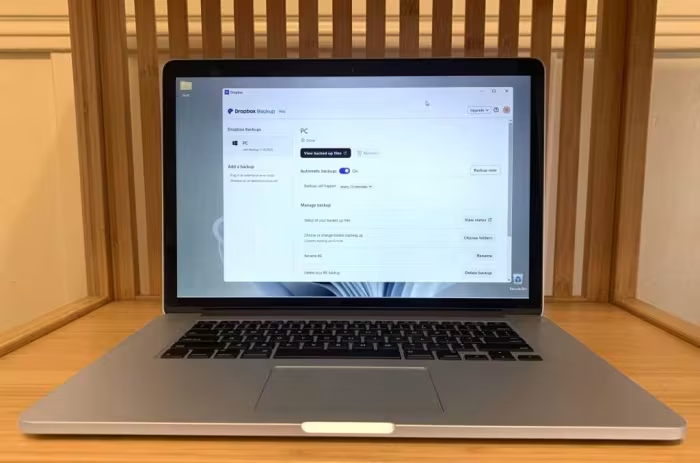
Dropbox Backup is a nice perquisite for one-person account users, despite surcharges for long-term version retention. But the Backup feature for teams is entirely too cavalier with your data, moving it about before backing it up.
Pros
- Super simple for the average user
- Available with any Dropbox account, including free
- One-way sync with file versioning
Cons
- Teams version of Backup moves your data before backing it up
- Version retention is limited without additional outlay
- On the pricey side for more than 5GB
dropbox review not as good as it used to be ProsCons...
The app that kickstarted the cloud storage arms race, Dropbox has fallen from grace as others have usurped it.
Pros
- Easy to use
- PDF and signature functionality
Cons
- Disappointing free tier
- Paper app isn’t as good as rivals
Page 2 of 2